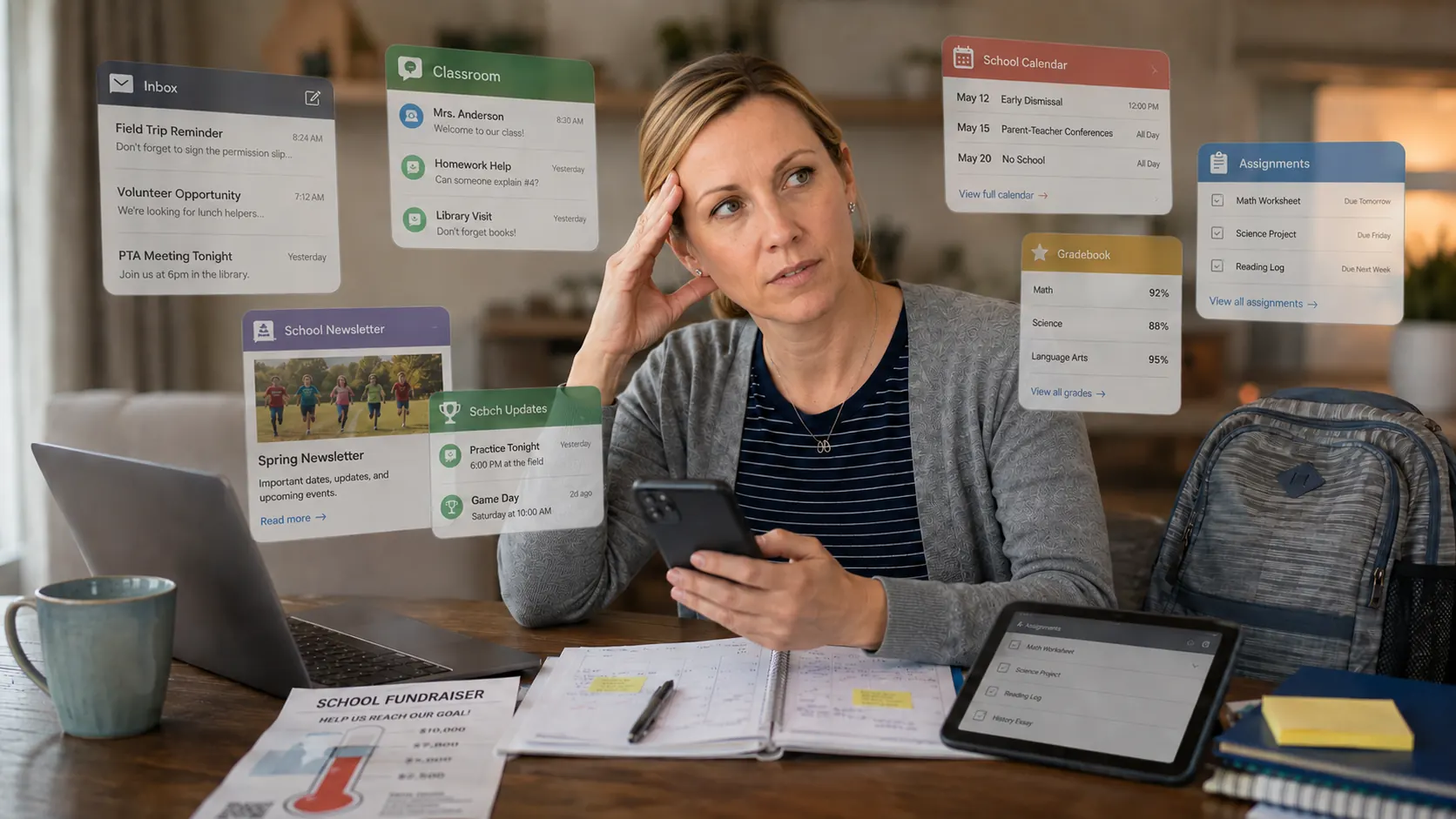
Pick up your phone. Open your app drawer. Count how many apps you have because of your child's school. Just one school. One kid.
Most parents stop counting around seven, and that's before they get to the school website bookmark, the PDF they printed last October, and the reply-all email thread from February they never quite got out of.
Count Them
Here's the canonical list for a reasonably plugged-in school family in 2026. Your list may vary. It will not be shorter.
Your child's teacher posts classroom updates, photos, and behavior notes here. You check it when you remember, which is less often than you intend. Requires its own login, its own notification settings, its own mental slot.
A different teacher — or maybe the coach — sends texts through Remind. It's a separate platform from ClassDojo. Different login. Different notification settings. Same phone, different mental model.
Your child's assignments live here. Technically it's a student tool, but the parent summary emails it sends are inconsistent, and checking in on assignments often means logging into a system designed for kids, not parents.
The official calendar is here — in theory. In practice, it's updated sporadically, sometimes lags by weeks, and requires you to remember to check it. Which you don't, because you're already checking three other things.
Arrives weekly in a long email from the PTA distribution list. Full of important information — the book fair, the fundraiser deadline, the volunteer sign-up — buried in a wall of text from a different sender every few months.
Your child's coach texts sometimes, emails sometimes, posts to a team app sometimes. The schedule change that would have mattered most arrives by email on a Sunday evening from a Gmail address you haven't memorized yet.
Where everything else lands. The permission slip. The school closure notice. The field trip form. The reply-all from a parent you don't know. The automated attendance reminder. All of it, unsorted, mixed in with your work email and your Amazon receipts.
That's one child. One school. If you have two kids, most of this list doubles. The apps don't consolidate. The notifications don't merge. The cognitive overhead scales linearly with the number of children you're tracking.
How We Got Here
This wasn't designed. It accumulated.
Twenty years ago, school communication meant a paper folder in your child's backpack and a monthly newsletter from the school office. Somewhere around 2010, schools started adopting digital tools — first email, then parent portals, then apps designed to replace the backpack folder. Each new tool solved one problem and added one new place to check.
ClassDojo launched in 2011. Remind launched in 2011. Google Classroom launched in 2014. None of these products were designed to work together. None of them were designed with the question "where does the parent actually want to receive information?" Each was designed from the perspective of the sender — the teacher, the coach, the school — not the parent who would end up triaging all of it.
The result is a communication system that no one designed as a system. It's a pile of point solutions, each perfectly reasonable in isolation, collectively exhausting.
The Parent Tax
Let's call it what it is. Every parent in America spends time — unpaid, unacknowledged, invisible in any economic accounting — triaging communications that should have arrived organized. Reading newsletters to find the one deadline that matters. Checking three apps to see if anything changed. Forwarding a coach email to your co-parent because neither of you can remember if you already put that game on the calendar.
This is the parent tax. It's the administrative overhead of being a parent in a system that assumes someone at home has unlimited time and perfect attention.
The parent tax isn't small. Three hours a week adds up to 156 hours a year — nearly four full work weeks — spent on school communication management. That's before the hours spent recovering from what you missed: rescheduling the missed appointment, apologizing to the coach, driving across town on a Saturday morning because you had the wrong game location.
The parent tax compounds with every child you add. It's highest for the parent who is more "on top of things" — often the mother, though this is changing — who carries the mental load of knowing which app to check when. It disproportionately burdens working parents who can't check apps during business hours and single parents who don't have a second adult to catch what they missed.
No one imposed this system intentionally. But we've all accepted it, and we probably shouldn't.
The Inbox Is Where It All Ends Up Anyway
Here's the thing about all those apps: even with perfect adoption of every school communication platform, critical information still arrives by email. The permission slip. The field trip form. The school closure notice. The coach's schedule change. The fundraiser payment link. These things land in your inbox because that's where important communications still go by default.
Your inbox is the last line of defense. It's the one channel you're guaranteed to see eventually, which makes it the one channel schools and coaches trust for anything truly important. The apps are for routine communication. The inbox is for the things that can't afford to get missed.
And the inbox is completely unmanaged. No AI. No priority scoring. No awareness that the email from "Room 14 PTA" is more important than the promo email from a shoe brand. It's a chronological pile, and the permission slip deadline is buried in the middle of it.
The apps haven't replaced the inbox. They've added to it. And the inbox was already a mess.
What a Command Center Actually Looks Like
The solution isn't to add another app to the list. Adding an eighth thing to check doesn't fix a problem caused by having seven things to check.
The solution is a layer that sits between your inbox and your calendar. Something that reads your school emails automatically — without forwarding, without rules, without you doing anything — extracts what matters, and puts it where you already look. And critically: something that leaves the rest of your inbox completely alone. Your work emails, your personal messages, your financial notifications — untouched.
Concretely: Skoolit is a web app you add to your phone's home screen. Open it and you see a clean daily digest — a prioritized list of what's coming up across all your children. But you don't have to open it to catch important things. Every event Skoolit extracts also syncs directly to your Apple Calendar, Google Calendar, or Outlook — so Mrs. Johnson's field trip shows up right next to your Tuesday work meeting, in the same calendar you already use. And when a permission slip arrives with a deadline, Skoolit sends you a push notification before you've even opened the app.
Here's what that looks like in practice:
- The permission slip arrives in your inbox at 9pm. You don't see it until morning. By then, the deadline has been flagged, surfaced in your calendar, and pushed to your co-parent's view.
- The coach changes practice from Thursday to Wednesday. The email arrives in your inbox. You're at work. Skoolit detects it, updates the calendar, and sends you a notification. You see it before you've already told your kid Thursday is practice day.
- Two events land on the same Saturday at the same time — one for each child. You don't have a conflict. You have a logistics problem. Skoolit surfaces it as "plan logistics" without sounding a false alarm.
- Your caregiver picks up on Tuesdays. She needs to know this week's schedule. You share a read-only link — one tap — and she sees exactly what she needs. Nothing more.
The goal is not to use fewer apps. The goal is to stop thinking about apps at all — and just know what's happening with your kids.
"The goal isn't to use fewer apps. The goal is to stop thinking about apps at all — and just know what's happening with your kids."
Today, Skoolit Launches
We built Skoolit because we were those parents. Seven apps for one school. A permission slip we missed. A game we showed up to late because the coach emailed a schedule change and we didn't see it until the next morning.
We weren't looking for another app to check. We were looking for something that would make our existing email actually work — something that would read the school messages we were already receiving and do something useful with them. We looked for that thing. It didn't exist. So we built it.
A fair question at this point: isn't Skoolit itself another app to check? Technically, yes — Skoolit has a screen. But here's the distinction that matters. Every other app in the seven-app stack requires you to go look. You go to ClassDojo to see if the teacher posted anything. You go to the PTA Facebook group. You go to your calendar and try to remember what you might have missed. With Skoolit, the information comes to you. School events sync automatically to the Google or Apple Calendar you already use. Permission slip deadlines arrive as push notifications — before you've thought to check. You can open the Skoolit digest when you want a full view of the week. But you don't have to, because by then it's already in your calendar, already on your phone, already shared with your co-parent. The difference isn't the number of apps. It's who does the checking.
Skoolit connects to your Gmail, iCloud Mail, or Outlook. It reads your school and activity emails automatically. It extracts events, flags deadlines, detects schedule changes, and builds your family calendar. It shares everything with your co-parent. It tells your caregiver what they need to know. It launched today, September 15, 2026.
If you're reading this, you found us on launch day. We're starting with families who've been on the waitlist since June, and we're opening to new signups right now. We'd love to show you what we built. Try the prototype, read why email forwarding doesn't work, or see how we compare to everything else.
Or just sign up. You've been doing this long enough.
Get started today.
Skoolit launched today — September 15, 2026. Connect your Gmail, iCloud, or Outlook inbox in 60 seconds.
You're in. Check your email for next steps.